Branching is here! Now, you can edit, preview, and publish different versions of your documentation without impacting what’s live. You have full version control over your docs workflow, right from within ReadMe. Building branching is part of our bigger effort to make ReadMe work the same way you do with your code. This means offering things like version control, Git workflows, and writing where your team chooses.
Skip Staging, Git Branch
Traditional staging environments can slow teams down. They’re rigid, limited to just one preview at a time, and make collaboration harder than it needs to be. With ReadMe’s branches, you get the flexibility and control of Git, directly in your docs workflow. If you've used Suggested Edits, you've been limited to editing one page a time. Branches enable you to group multiple changes across multiple pages into a branch to make it easy to manage big updates and reviews.
Here’s what you can do with branches:
- Edit in isolation: Make selected changes to your documentation without affecting what’s live.
- Preview before you publish: See exactly what your readers will experience, before merging.
- Collaborate better: Share preview links with teammates for faster reviews and approvals.
- Merge with control: Only push what’s ready, and keep in-progress work in a branch.
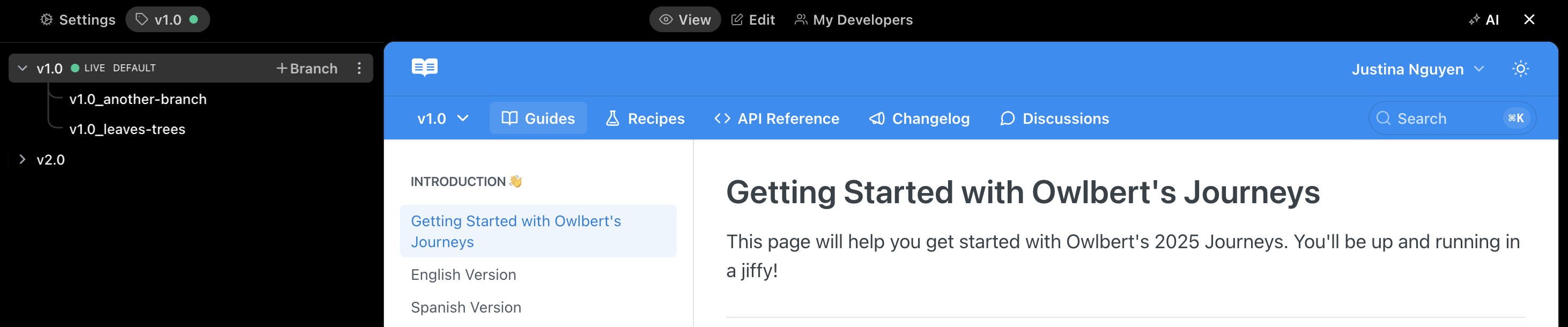
You can do all of this from ReadMe’s editor, or by syncing your docs to a Git repo with bi-directional sync.
Bi-Directional Sync with GitHub
If you're using bi-directional sync with GitHub, your ReadMe branches automatically mirror what’s in your repo. Your team can work on docs in ReadMe's editor or their IDE. Whether they want to use a docs-as-code workflow or our WYSIWYG editor, your docs will always be up-to-date.
Built for Teams & Enterprise
For our Enterprise customers, branching comes with granular merge permissions and governance tools, so teams can move fast without compromising quality or control. You can restrict merge access per project to only Admins or Editors.
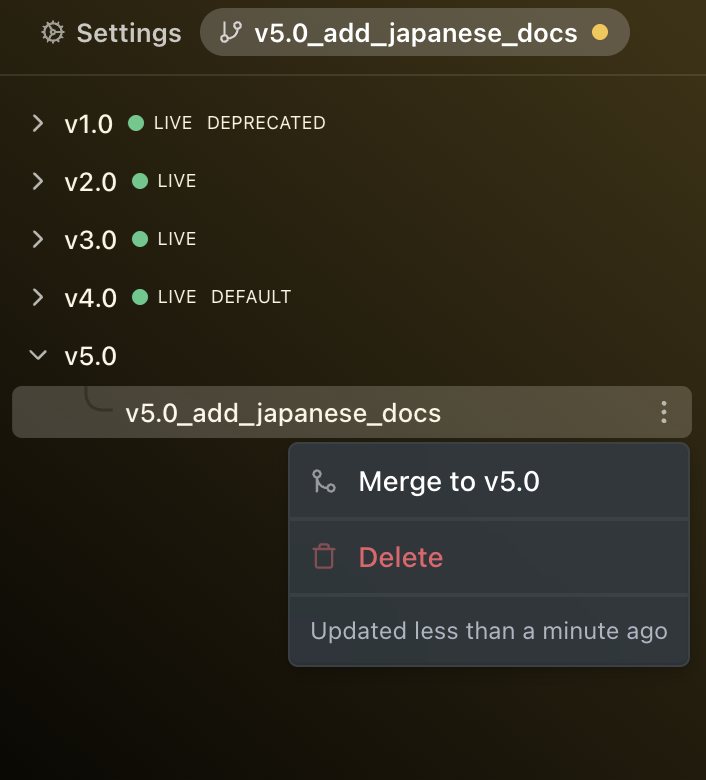
Getting Started
A lot of teams want to write docs-as-code. That might mean reviewing changes in a pull request, writing alongside code in the same branch, or lining up a docs update with a product release. Branching makes all of this possible. You don’t have to wait until something is final, and you don’t have to manually track what’s been changed.
Check out our docs to start editing in branches.