ReadMe provides API documentation, and much of how our product works mimics Git. However, as we continued to layer on more Git-like features, we hit a wall. We were using Mongo for all our data, but implementing Git-like features without a Git-like architecture meant each feature (history, branching, merging) was just compounding the complexity.
So, we started to think: what if we rebuilt all of ReadMe on top of Git itself? Every save would be an actual Git commit, and every read would come right from the filesystem (with caching, of course). Branching and merges would be handled by Git itself. And best of all, we could have a true bidirectional sync between ReadMe and GitHub, GitLab, or Bitbucket… no mirroring via an API, but rather use actual remotes.
Here’s why and how we decided to rebuild ReadMe from scratch.
How it started
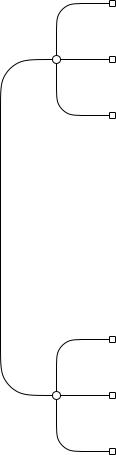
We were using Mongo, and our data was structured something like this:
When a user forks v1 into v2, we make a copy of every document, and maintain the hierarchical relationships between them. If the documentation has, for example, 5 versions, there will be 5 copies of each page in our database... along with the history of each page (we cloned that, too). This resulted in a lot of data to manage, and it didn't even account for everything: metadata changes (page title, seo settings, etc) and actions (page renames or reordering) weren't tracked.
What made ReadMe successful early on was that it was designed so anyone could contribute to the docs, not just developers with access to the repository and an understanding of Git. Our customers loved being able to make changes without having to file a ticket and wait for an engineer to correct a typo. I know this seems obvious now, but hey, we’ve been around for a while.
Since then, everyone’s gotten more technical, workflows and tooling have improved, and a docs-as-code approach has become more popular. Syncing to-and-from GitHub and its ilk quickly became our #1 feature request, followed by the ability to branch content for editing.
-
Git: We already had a one-way Git sync powered by GitHub Actions, but it would overwrite any changes made in our UI. We have all types of users, and we wanted everyone to be able to work how they prefer. Some people like docs-as-code, while others would rather just use our editor.
-
Branching: The ability to collaborate on updates to the docs, preview them, share for feedback, and then merge them in when they’re ready. On top of this, we didn’t want two versions of branching to exist… we wanted people to be able to collaborate on the same branch in both the UI and GitHub, rather than having to choose.
We were able to get away with a simple copying of pages for a long time because we never really had to worry about merging versions back together. Once the versions diverged, they stayed that way. But as we wanted to allow true branching, this approach fell short. We would have to track not just the relationships between each page, but across branches and history.
Branching and history are inseparable, especially when managing the different types of content in ReadMe. Each piece of content reflects a snapshot in time, and history plays an important role across that content: tracking page edits, rolling back changes, managing URL redirects for renamed pages, indexing for search, handling suggested edits, and supporting staging environments. We were tracking all this history ourselves, in different ways, and it got complicated.
And we didn’t just have pages; that was just to simplify the graphic above. We had categories, pages and sub pages and sub-sub pages and sub-sub-sub pages. We also had OpenAPI files, recipes, glossary items, reusable content, MDX components, and dozens of other features that needed to fit this model.
The seams were already starting to show with our use of Mongo before all of this. Adding branching and merging on top of all these features would become unwieldy. I could see us getting branching for, say, pages working. But to make everything branchable would be a gigantic undertaking.
So we started to think about the alternative: what if that same data lived in one Git tree instead of a pile of flat collections? What if we brought everything up a level, so branching wasn’t a feature we had to build over and over, but something all our data inherited from Git itself?
A Git-first mentality
We’ve always been inspired by Git workflows, but were happy to diverge here or there when it made sense. But every feature added complexity, as they all had to work together. Since we had a slightly different mental model for each feature, they started to collide… and the idea of keeping all of that in sync with an external source like GitHub felt untenable.
Take recovering deleted pages. For a while, we would restore mistakenly deleted pages from the Mongo backups. This was becoming a bit cumbersome, since you had to go through support for it. So, we decided to implement it as a feature. The obvious answer would be soft-deletes; that’s how most software handles it. But imagine layering on branching and merging with soft-deletes… Do we clone soft-deleted pages? Can we merge in a soft-deleted page with a clashing slug? Do we save the full history of a soft-deleted page? Should the deletion and restoration be tracked in the Git history?
Shifting to a Git-first mentality had a ripple effect. Each individual feature went from “what’s the best way to implement this feature?” to “how would this work in a Git world?”. It became incredibly clarifying. It meant we didn't always end up with the most optimal UX for each individual feature, but it did mean it was going to work well together. For the recovering deleted pages problem above, we can just let Git handle it. For most use-cases we could build some UI on top of git commands, and for more complex issues we could let users (or our support team) check out the repo locally and spelunk around for the missing data… all while having the restorations properly reflected in the Git history.
If we tried to build out each feature ourselves, the complexity would explode. Every new feature would have to account for all the others: branching would have to work with history, merging would have to work with restoring deleted pages , and so on.
Instead, if we front-loaded the complexity by moving everything over to Git somehow, each new feature would be (almost!) as simple as building a UI on top of a Git command. Intricate features like branching could be built in weeks instead of years.
How to do it
Okay, so we’ve decided to tie ReadMe closer to Git. Our first instinct was to find a way to avoid building it from scratch. After all, only a few companies (such as GitHub) had ever done this. So we explored a few paths:
All of these fell short, and we slowly came to the realization we had no choice but to go it alone. Luckily, there was a blueprint out there: Zach Holman’s really good (and aptly named) How to Build a GitHub (2012).
Building our own GitHub
When you think about building a platform on top of Git, it seems pretty straightforward. It would be as simple as shelling out commands to a file system!
But you quickly realize this won’t work. Sanitizing inputs sufficiently would be difficult, and parsing the output would be a pain.
The issues run deeper than this, though. When you, as a developer, use Git, you’re interacting directly with the checked out files in the filesystem. However, those files live in a working tree, and a given branch can only be checked out in one working tree at a time. (Git worktrees let you keep several checkouts around at once, but each is a full copy of the files on disk, so spinning one up per user or version would balloon our storage.) If multiple users started reading and writing simultaneously, you’d quickly find yourself in a bit of a pickle. What happens if two people want to make a commit at the same time, or if a user wants to read a page from a different branch?
This is where libgit2 comes in. It’s a battle-tested C library with, among many other languages, Node bindings via nodegit. While it’s somewhat low-level, it works on bare repos and did everything we could possibly need. This meant we’d be hosting the repos on a filesystem, and modifying each repo using code we wrote.
Of the options, libgit2 had the most upfront costs. However, the goal of software development isn’t to make the next few weeks easier. Rather, it’s to set yourself up for future success. To me, libgit2 was the perfect abstraction: while it wasn’t the simplest interface, anything possible in Git would be possible for us.
Plus, if GitHub could build all this in 2008… I knew we could totally pull it off with all the niceties in code and infrastructure that the past 18 years have brought.
Plumbing with libgit2
Operating on a bare repo is a bit different than working on a checked out one. When you normally work with Git, you modify files directly and then stage the changes before committing. Let’s say we want to update a file and add it to a branch as a commit. You might do it something like this:
While the concepts are the same, this isn’t really how libgit2 works. As it turns out, there are two different things we collectively refer to as Git… the underlying architecture (which, as you get to understand more, you realize is quite beautiful), and the Git CLI we all know and (sometimes) love.
Git describes this divide as “plumbing and porcelain”, and libgit2 is firmly in the plumbing portion of Git. We don’t get the simple Git interface. While it would be nice to be able to run a git commit, having to deal with each underlying step separately means more control and better error handling.
For example, with libgit2, mimicking git commit needs to be broken down into each individual step:
- Open the bare repo for editing
- Create an index. Since we don’t have a working directory, we need somewhere in memory for our changes to go temporarily before they’re written.
- Create the file in-memory, as a buffer. We’ll add this file to the index.
- Write the index out to a tree object. Now the blob (from step 3) and this tree both live in the repo’s object database, but nothing references them yet: the branch hasn’t moved, so they’re just dangling objects until we commit. We still need to link it!
- Create the commit. This does two things. First, it saves the metadata of your commit (author, message, etc) to the repository. Secondly, it links the HEAD of the branch to this commit: setting the existing HEAD as a parent to this commit, and making this commit the new HEAD. It’s like adding an extra link to the end of a chain necklace.
In code form, it’s something like this:
This is a relatively simplistic code snippet. It ignores a lot. For example, each commit can have multiple new or updated files, deleted files, new folders (which are just trees you have to attach to the parent tree) and other changes.
As you get deeper into Git, you start to realize how much the Git CLI shields you from. Here are some of my favorite findings:
- In Git, renames aren’t actually explicitly tracked! When you see a rename in your Git history, it’s really just checking to see if there’s a deleted file and a created file in the same commit with a 50%+ overlap in content.
- Git’s CLI quietly runs garbage collection for you (via
git gc --auto); libgit2 doesn’t implement it at all, so we had to build our own. I was surprised how quickly the garbage piled up: on our biggest repos, all those unreachable objects slowed our bidirectional syncs down a ton and ballooned our storage sizes. - Branch names are really just file paths. A branch named
v1is stored as a file atrefs/heads/v1, so you can’t also have a branch namedv1/beta. That would needv1to be a folder, and a name can’t be both a file and a folder at once (the same reason your own computer won’t let you).
Every Git command you’re used to has the same complexity under the hood.
Ironically, as you get away from the shiny porcelain and into the gritty plumbing, Git’s underlying way of working starts to make way more sense. Everything is just a tree: your project directory, each commit, every subfolder. Most of what you do is just creating, attaching, and moving trees around. Sometimes you’re iterating over trees attached to trees, which can be complicated to track but the way it works is delightfully consistent.
We were worried about corrupt Git repos. What if two commits somehow happened at the exact same time and conflicted? However, it’s almost impossible in Git, since you write all the new data separately and the final move is to swap out the HEAD in a single write. At most you might lose a commit due to a race condition, but even in testing when sending thousands of commits at the same time we couldn’t make that happen let alone cause a corrupt repo.
The decision and initial build was just the tip of the iceberg. There’s building the infra, handling migrations (tens of millions of pages with over a decade of history), handling bidirectional syncing, our own tools for viewing/managing repos, scaling up usage, caching, dealing with a billion (yes, that’s a real number) requests a month and much more. But alas, that will have to be another blog post.
Git as a first-class feature
There’s something unique about devtools: decisions such as choosing Git aren’t merely technical decisions; they’re strategic product choices. The two are so deeply intertwined because the way we build things behind the scenes is directly reflected in the final product. Therefore, we didn't want to simply add a GitHub integration as an afterthought, because it would have felt cheap. Instead, we aimed to make Git a first-class feature, ensuring it functions seamlessly, whether accessed through our UI or the CLI.
We have all sorts of people who work on documentation, from product managers to technical writers to engineers to marketers, and we want everyone to be able to write where they feel most comfortable without having to make any sacrifices or being left out of the collaboration.
But it’s more than that: Git opened up a path for anything to be possible. Good developer tools don’t make everything equally easy, but they do make everything equally possible. Our UI will never be able to cover every single thing a user might want to do. But by allowing users to pull the Git repo locally, there are virtually no limits to how their data can be manipulated. Need to do a complex rebase across multiple versions? Pull the repo down and have at it locally, then push it back up.
To make this all work, it took more than just rewriting the database calls. We designed and built a completely new UI that fit the Git-first mentality better… and set us up for branching. We had to run our own servers for the first time, so this meant a new deploy process, new observability and more. We had to deal with caching, since some things (such as compiling the sidebar) were far too slow to do on every page load. We had to migrate every single project over to this new architecture, oftentimes dealing with messy data. We needed internal tools for debugging and viewing the underlying data, including an internal GitHub-esque clone we built.
We had to create a new format for all our data, so it could be stored in a filesystem rather than a database. Luckily, it mapped well. Versions (such as v1, v2, etc) became branches, categories became folders, and pages became MDX files with frontmatter. The only bit of data that didn’t map well was ordering for the sidebar, but we solved that with an _order.yaml file.
Moving to a flat-file format was complex, but it’s something we’d have to deal with either way for any sort of GitHub sync implementation. The benefit of our new frontmatter being the source of truth is that nothing can be lost as we’re keeping it in sync between GitHub and our database. Having a consistent core format across every access point feels so much better. There are no weird issues since both our code and local checkouts are directly editing the same source of truth.
Committing to Git
From the first lines of code to our launch, it took us six months of dedicated effort involving everyone at the company. Switching to a full Git backend was not a small decision; it required rethinking how ReadMe operated. By rebuilding from scratch on top of Git, we transformed complex, one-off feature development into a scalable process. In the decade-plus since I launched ReadMe, I've never been more impressed or proud of the amazing people who made this happen.
Adding features has become much more straightforward. We’ve been able to build PR-style review flows, branching, merging and more over the past year since we started rolling out Git. It hasn’t always been smooth (more on that in another post!), and Git has a lot of idiosyncrasies. However, it’s been great to go from mimicking Git to embracing it fully. Our integration feels like a first-class citizen, which was the goal.
I want to end by shouting out the engineering team at ReadMe. There was some trepidation at first, but once we decided this path, I’ve never been more impressed and excited to work on something. Developer tooling and frameworks have made much of engineering easy, and that’s genuinely wonderful. But every now and then you get to build something truly ambitious from the ground up, and there’s nothing more fun, especially with such a great team.