Reviews and Notifications for Branching
When we launched branching, your team got a way to edit docs without pushing changes straight to production. Create a branch, write in isolation, merge when ready. That was the foundation.
Now we're adding the workflow on top. Reviews and notifications are available for all Pro and Enterprise customers, so you always know what's being changed, who reviewed it, and when it went live. Enterprise customers get additional controls to enforce review requirements and restrict who can merge.
Here's what's new:
- Reviews to check changes before they're published (Pro + Enterprise)
- Notifications that keep everyone in the loop, automatically (Pro + Enterprise)
- A Reviews dashboard for cross-project visibility (Enterprise)
- Enforceable review requirements so nothing merges without approval (Enterprise)
Check Changes Before They Go Live
Reviews let your team check changes before they're published. Writers request a review from the Review tab, teammates get notified in-app, and the Linter flags issues automatically. Reviewers can approve changes to enable merging.
This is available to all Pro and Enterprise customers.
Enterprise: Enforce Review Requirements
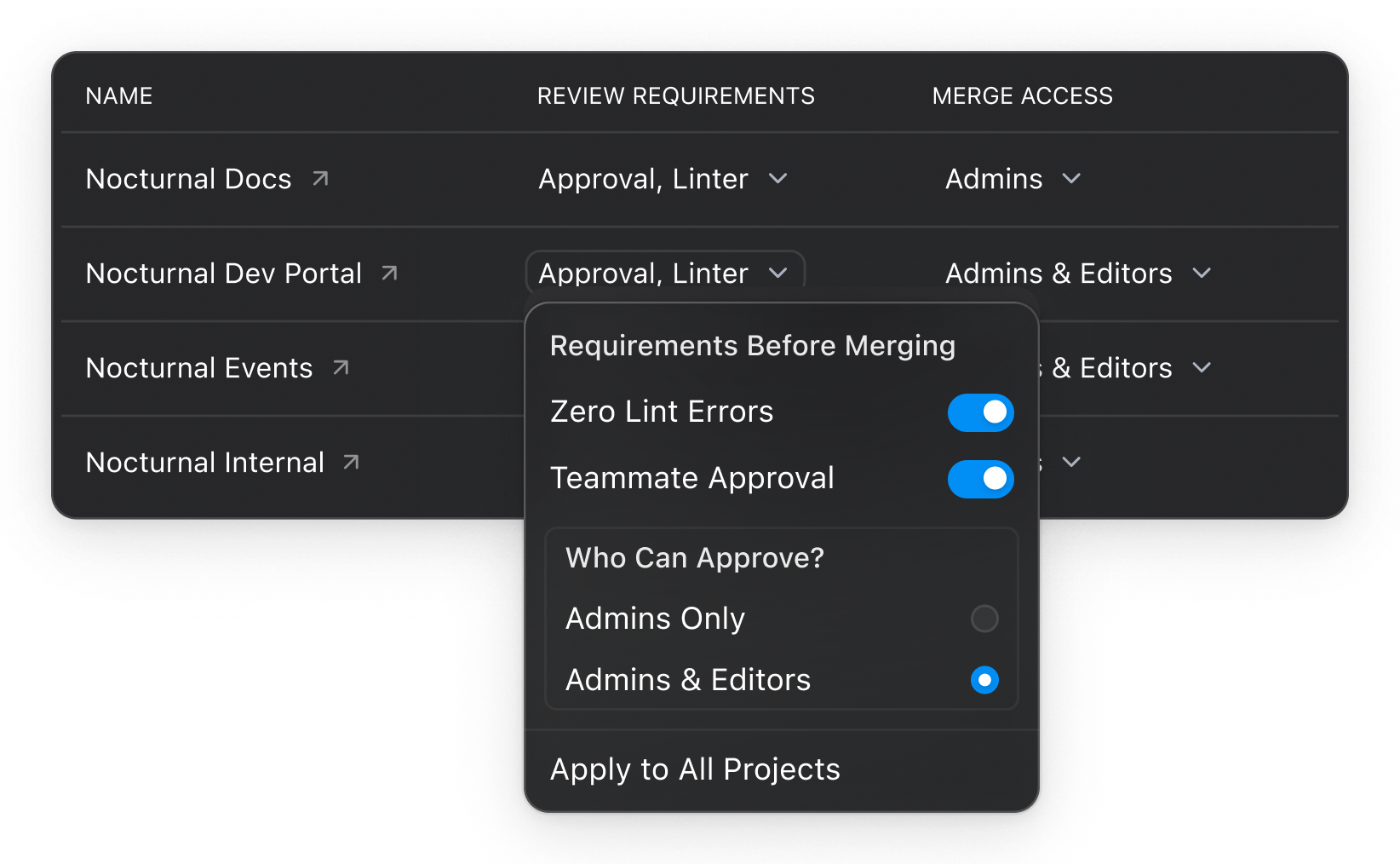
Enterprise customers can take reviews further with enforceable requirements. Group Admins can require:
- Zero Lint Errors: No Linter errors on edited pages before merging.
- Teammate Approval: Another teammate must approve the changes first. You choose whether admins only or admins and editors can approve.
- Both: Require clean linting and teammate sign-off. These settings are configurable per project or across your entire group.
And if something urgent needs to ship? Admins can always skip requirements and merge immediately. The guardrails are there, but they won't block you when it matters.
Enterprise: Control Who Can Merge
Separately from reviews, Enterprise customers can restrict merge access. Two options: Admins Only, or Admins and Editors. Set it per project or group-wide from the Enterprise Dashboard under Settings.
Your team can create branches and request reviews freely. Group admins control who has merge access, so the designated owners sign off before anything goes live.
Stay Informed with Notifications
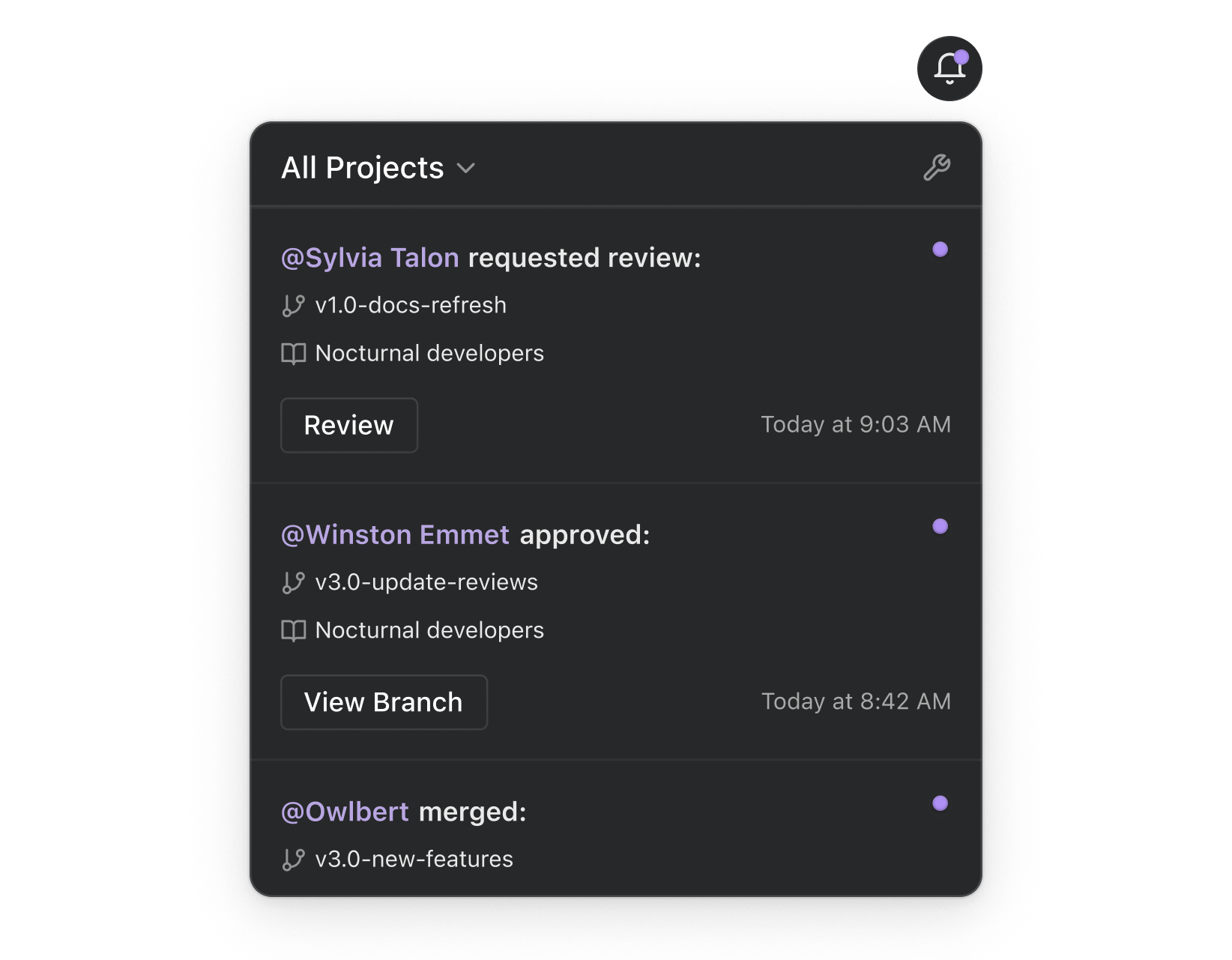
Nobody should have to ask "did that get reviewed yet?" Your team gets notified at every step:
- Ready for Review: All teammates (Admins, Editors, Viewers) get an alert.
- Branch Approved: The branch owner gets notified.
- Branch Merged: All teammates get notified. Find your notification feed on the Project list page, Project Dashboard, or Group Dashboard (Enterprise). Filter by project to cut the noise.
Each person controls how they receive notifications. Toggle in-app and email on or off globally, or dial it in per event type. For folks who want the summary view, there's a Weekly Review Digest email that rolls up every branch currently in review.
See It All from One Dashboard
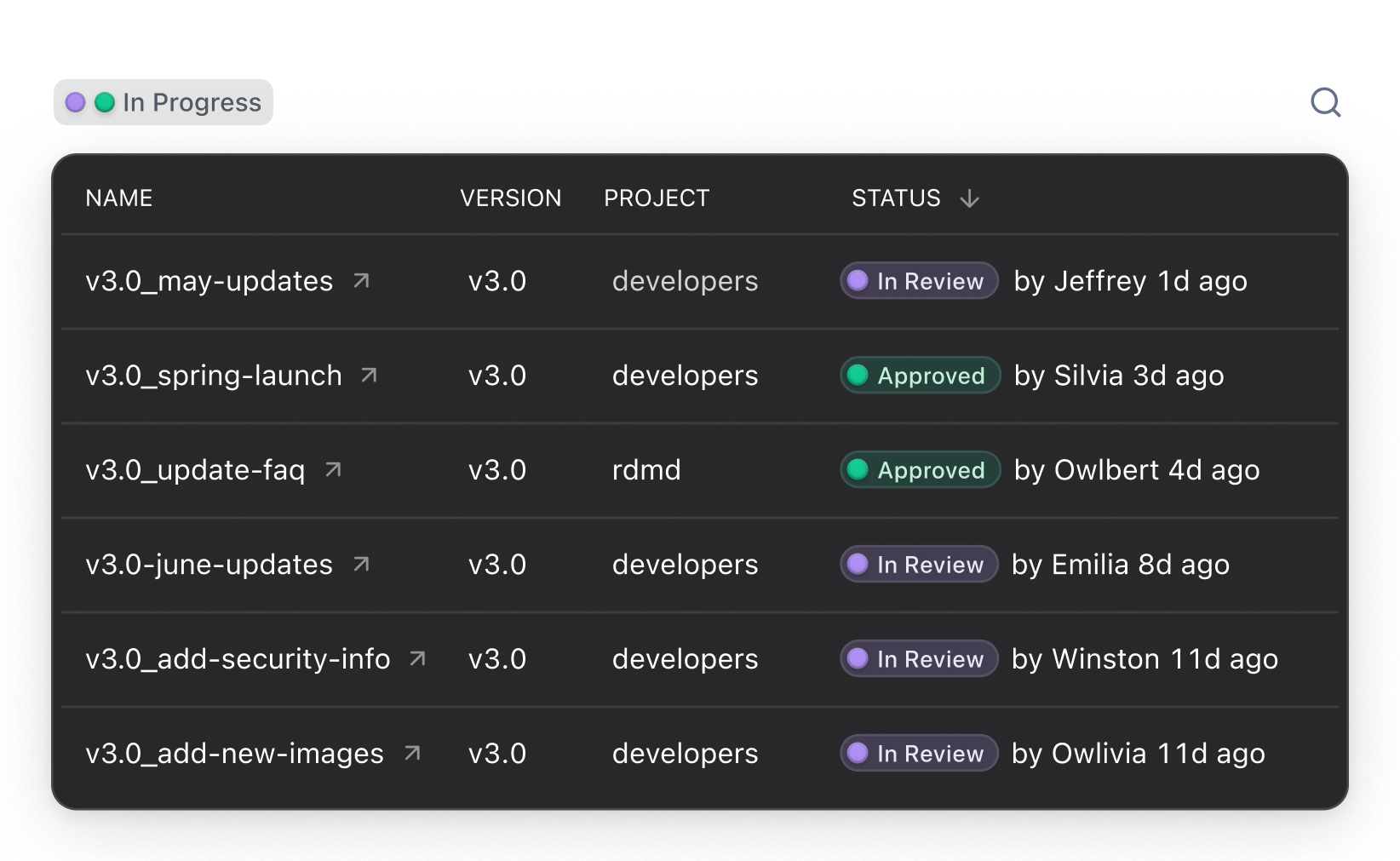
Editors and Admins get a Reviews dashboard that shows every branch waiting for review across all projects. Search and filter to focus on the ones that matter. No more checking project by project.
Get Started
Reviews and notifications are available now for all Pro and Enterprise customers.
Pro customers:
- Request a review from the Review tab on any branch.
- Check notification preferences to make sure your team is getting the right alerts.
Enterprise customers:
- Configure review requirements in the Enterprise Dashboard under Settings > Your Group > Projects.
- Set merge access to control who can publish changes.
- Check notification preferences to set up alerts for your team.
Read the full docs:
- Reviews and Notifications for branch review workflows (Pro + Enterprise)
- Enterprise Workflow Controls for review requirements, merge access, and cross-project visibility (Enterprise)
Questions? Reach out to your CSM or email us at support@readme.com.
Have questions about ReadMe or need help with branching?